
A music workstation, built by a producer.
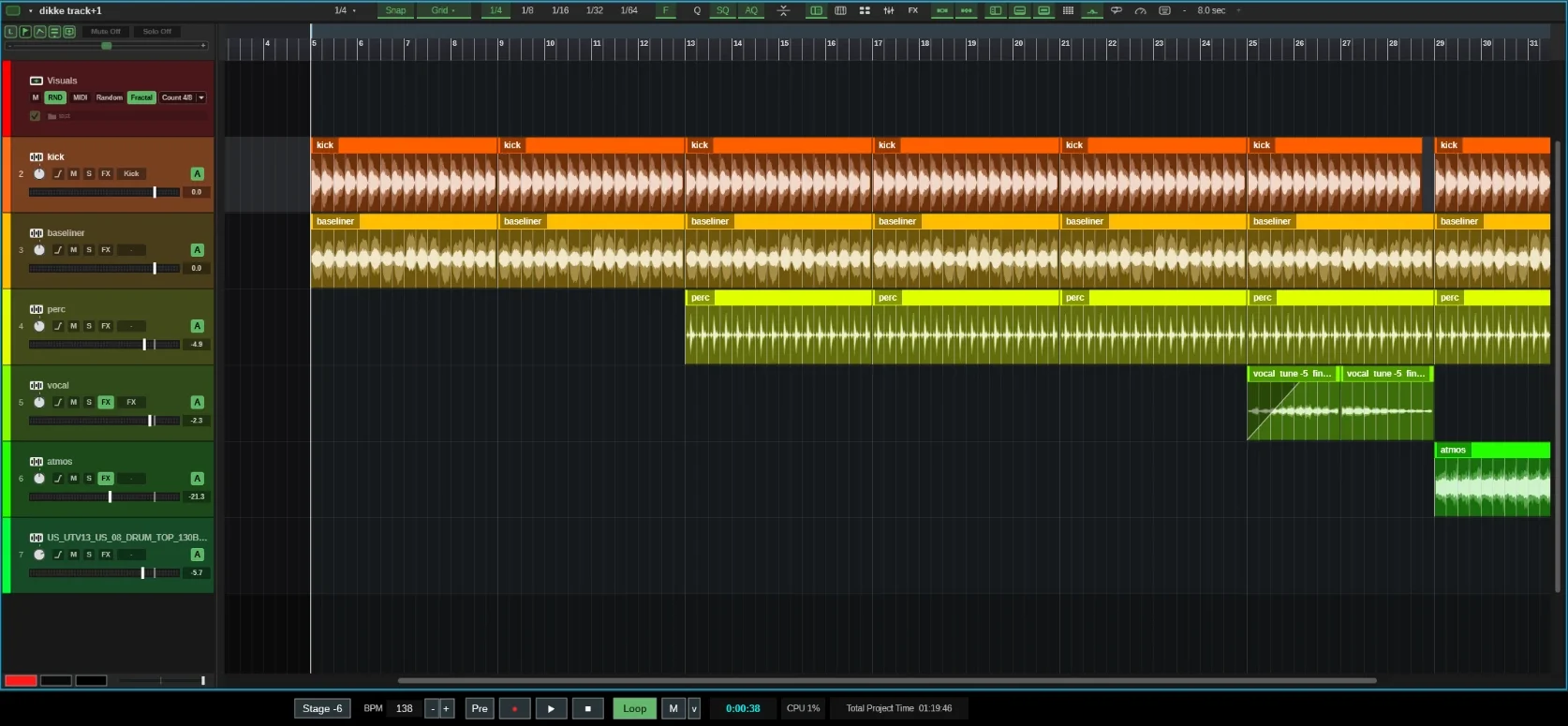
BALAI is a fast, focused DAW for dance and techno. Sampler, drum pads, chopping, mixing and your VST3 plugins in one small app. No installer, no account.
- Windows PCBeta now
- MacComing soon
32
drum pads in two banks
11
built-in effect blocks
16
group buses
96kHz
native export rate
Why BALAI
Not to compete, but to complete.
BALAI started as a simple frustration: every program did almost what its maker wanted, but never quite. So it was built from the ground up with one mission: simplify creation.
Easy from day one
New to producing? Clear tools and smart helpers take care of the fiddly work, so you start making music right away and grow in experience fast.
All focus on creation
Been producing for years? BALAI keeps your attention on the music instead of the machine, from the first idea to the finished track.
Automatic, until you say no
Beatmatching, key matching, gain staging, gain-match per effect, auto quantize, plugin nap: every helper has its own switch. Use them when you want, switch them off when you don't.
Features
Everything a track needs.
From the first kick to the final bounce, BALAI keeps the tools you reach for every session one click away.
Sampler & Pads
Load it. Chop it. Play it.
Up to eight samples per channel, played together, in round robin or at random. Chop a clip into as many as 32 slices and drop them straight onto pads.
- 32 pads in two banks
- ADSR, filter and tuning per slot
- Kits you can save and share
Your library
Every loop in time and in key.
Browse your own sample folders, no scan needed. Loops preview time-stretched to your project tempo and in phase with the song. Set a key and melodic samples follow it, while drums stay untouched.
- Tempo from the file name, tags or measurement
- Key from the file name (Camelot too), tags or measurement
- Loopcloud built in, at your project tempo
Mixer & Blocks
Hear the character, not the volume.
Eleven self-built effects in any order, from an 8-band EQ with live spectrum to a true-peak limiter. Every block is gain-matched, so switching one on never just means louder. Want the level change? Switch A off on that block.
- Unlimited channels, 16 group buses
- Sidechain and parallel sends
- Drive, Clipper, BassX, Duck and more
Plugins
A crash can't take your song.
Every VST3 plugin runs in its own process, so if one falls over, your session stays standing. Map any plugin knob to your MIDI controller: click Assign, turn both, done. Plugins without their own screen get a knob for every parameter.
- Automate any plugin parameter
- Latency compensation and plugin nap
- Manage plugins per vendor
Start page
Pick up where you left off.
BALAI opens on a start page with your recent songs, your favourite folders and every saved version of your track. Starting fresh is one click on New song, and if you'd rather skip the start page, switch it off.
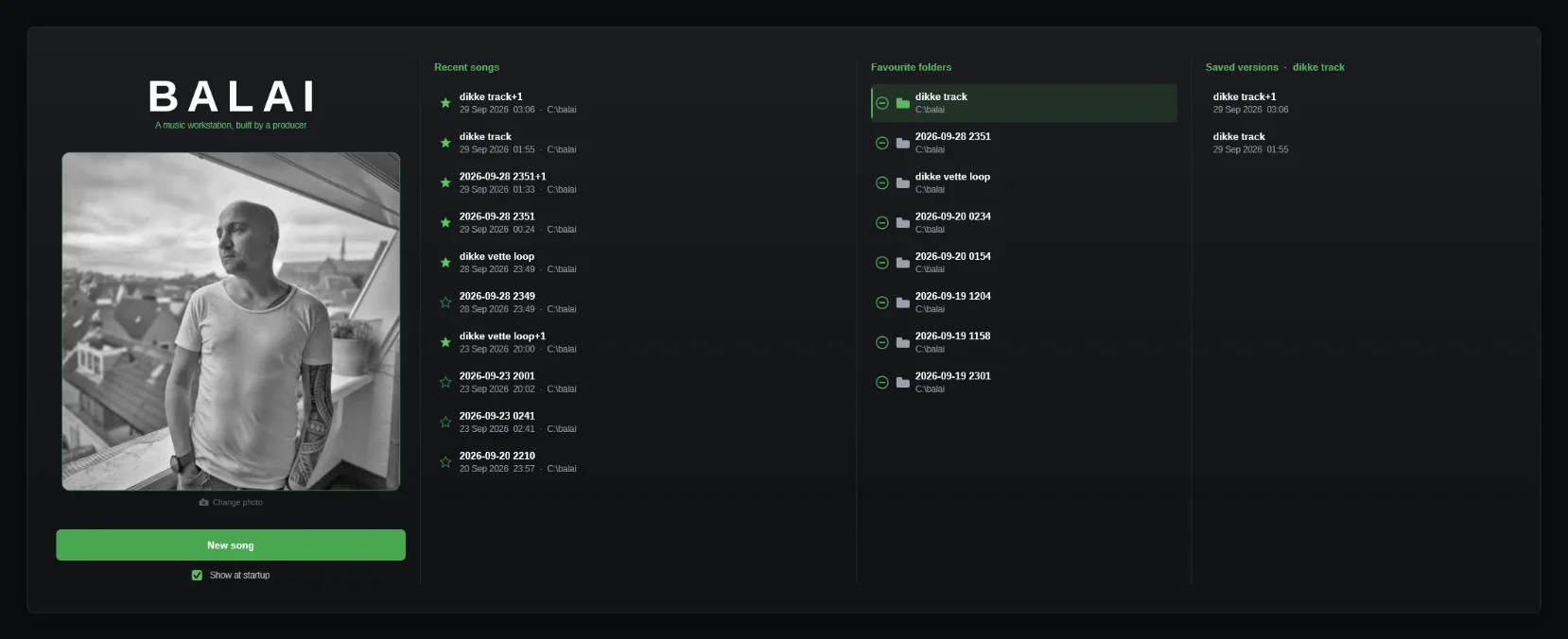
- Put your own photo on it
- Recent songs, favourites starred
- Favourite folders
- Every saved version
Workflow
Your whole flow on one screen.
Arrangement, sampler and pads live together, so you stay in the track instead of hunting through windows.
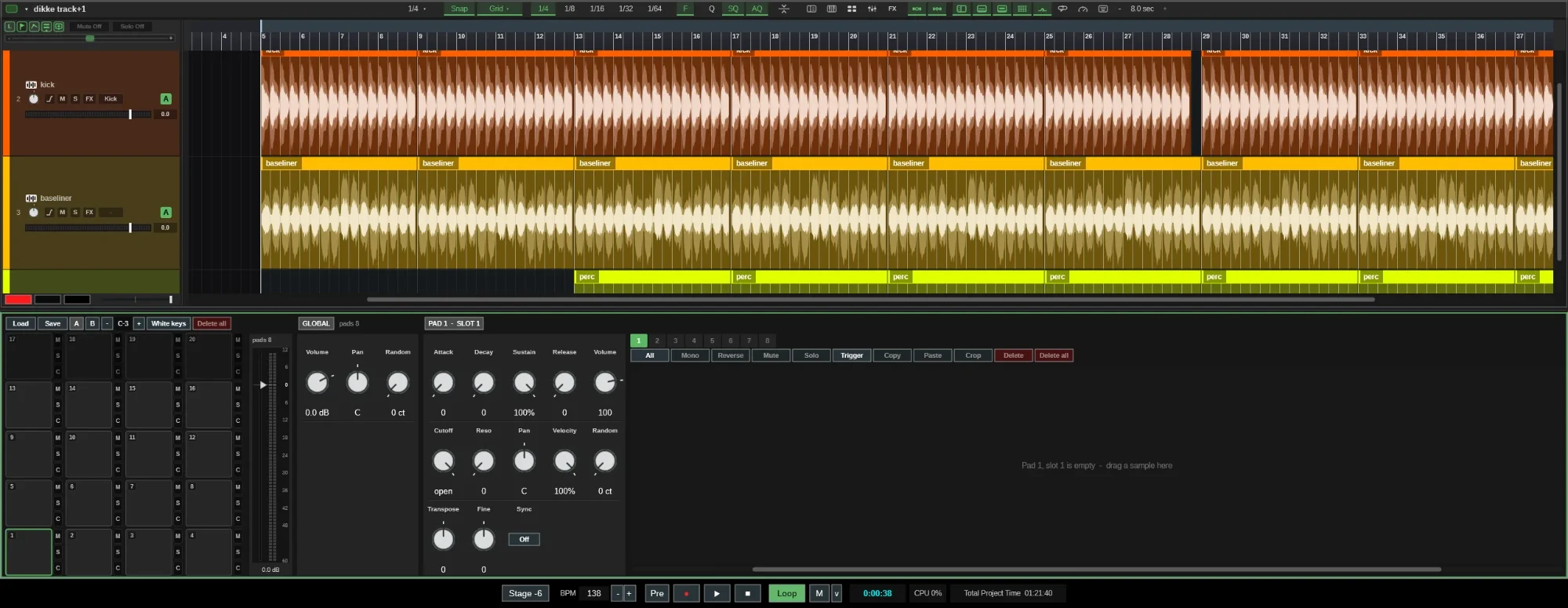
- 32 pads, up to 8 samples each
- ADSR, filter and tuning per slot
- Reverse, mute, solo and crop per slot
- The arrangement stays in view
Smart flow
Press D to duplicate and the pulse carries on. Off-beat hats stay off-beat.
Auto chop
Slice a clip by hand or automatically into up to 32 pieces, then play them from your keys.
Sample ↔ MIDI
Turn a clip into a playable MIDI part with its own sampler, and back into audio.
Beatmatched browser
Preview loops in time, in phase and in key with your song before you drop them in.
Gain staging
Stage sets every track to −18, −12 or −6 dB peak in one move, or switch it off.
Automation
Hit record and every knob you turn gets its own lane, down to plugin parameters.
Crash-safe saves
Each song is a folder with all its samples, with versioned saves and three autosaves.
Native-rate export
WAV up to 32-bit float or FLAC, rendered directly at 44.1 to 96 kHz.
In the lab
In developmentVisuals that know your song.
BALAI is getting its own visuals engine. A GPU swarm of 65,536 lights and trips through fractal worlds react to the kick, snare and hats in your mix, or follow a show you program with MIDI notes.
- Reacts to kick, snare and hats
- Program a show with MIDI notes
- Full screen on a second display
- Quality adapts to your graphics card
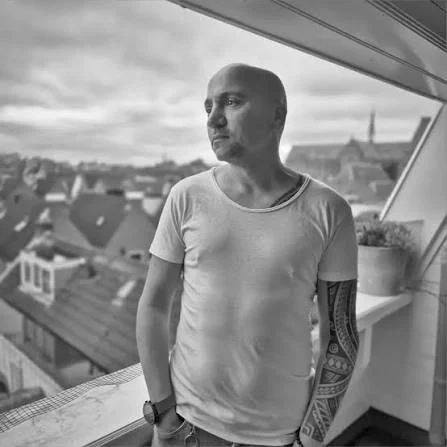
Rodney Balai
Producer · Let Techno Unite Records
About me
Forty years of music. One missing tool.
I have been making music for forty years. I started in hardcore – loud, fast, and built out of whatever gear I could get my hands on. These days I make techno, and I release it through Let Techno Unite Records, the label I work with.
BALAI began as a simple frustration. Every program I used did almost what I wanted. Never quite. So I stopped waiting and built the one that does – a complete workstation, written from the ground up, shaped around the way I actually work.
It is developed on a slow laptop on purpose. A whole generation of producers is making music on the hardware they could afford rather than the hardware they chose, and they deserve a studio that respects that. One file, no installer, nothing to sign up for before you can make a track.
I am not here to compete. I am here to complete. There is nothing wrong with the tools that already exist – I just wanted to add the one that was missing.
40
years of making music
v6
current beta round
1
file, no installer
0
accounts needed

The label
Let Techno Unite Records
I release my techno through Let Techno Unite Records, the label I work with. Find the releases on Beatport, put the label playlist on, or send in a demo of your own.
Beta
Get in early.
BALAI is in beta for Windows PC, and a Mac beta is coming soon. Join the waiting room on WhatsApp: it's quiet in there, nothing gets posted. When a new test round starts, people from the waiting room are invited into the beta group.
- Windows PCBeta now
Windows 10 and 11
- MacComing soon
Join the waiting room to be in line for it
- One file. No installer, no account.
- New builds arrive in test rounds
Beta builds aren't code-signed yet, so Windows SmartScreen may ask once before the first launch.
FAQ
Questions, answered.
Something missing? Ask it in the waiting room.